BI Software and Tools: 2024 Comparison
Lucas Fontaine

More than a trend, it is now undeniable that a company cannot make strategic decisions without analyzing data.
That is why more and more entities of all sizes, and not just large groups, are adopting a "data-centric" vision.
But how can this data be effectively utilized? How can we sift through this tidal wave of data, in order to extract only the critical indicators for the health of the company? How can we identify trends to stand out from growing competition?
You guessed it, the answer lies in the use of a business intelligence software.
According to Forbes, 54% of companies stated in 2020 that "the SaaS solution in Business Intelligence was essential to their current and future strategies."
Moreover, there are now several hundred BI tools available worldwide.
Some are dedicated to marketing data while others specialize in customer relations, human resources, or finance.
In other words, there are generic BI tools and BI tools dedicated to specific business teams. For instance, if you are a marketing expert and decide to use a “classic” BI software or one specialized in HR, you may not achieve the same results as with a business intelligence tool specialized in Marketing.
Sometimes, companies want to use a single generic BI tool for all departments, but this can complicate the integration and configuration of the BI software in question and thus lead to sometimes high additional costs.
Thus, if your company has several different business solutions and has specific needs in each department, opting for several specialized BI tools with native connectors may sometimes be a better choice than using a single BI software where it could take longer and cost more to align the needs.
The crux of the matter in business intelligence remains and will remain the accessibility of data. For example, if you use online advertising platforms (Google Ads, Facebook Ads, etc.), it may be preferable to use a marketing SaaS solution that already has existing native connectors with these tools, rather than opting for a generic BI tool that may force you to create the connectors for these platforms yourself.
Now that we have outlined the two main categories of BI tools, it is important to note that, in this article, we will focus on the main BI software available in France, as a service (SaaS solution) and aimed at data analytics for finance/accounting professions.
We will therefore discuss the best finance BI tools as well as the most commonly used generic solutions in 2024.
Whether you are about to implement a BI software or simply wish to gather information on what a business intelligence software could offer you, we have prepared a comparison of the main SaaS solutions on the market that should help clarify things for you.
What is a BI tool and what is its purpose?
Whether you use Excel or another tool, creating reports can quickly become time-consuming and prone to errors, especially as the volume of data increases.
A BI tool allows companies to consolidate data scattered across different sources (internal or external) and transform it into relevant information all in one place.
BI tools thus enable decision-makers to visualize and analyze key indicators for their business in real-time and to share these with their collaborators in the form of dashboards, reports, and other graphics.
More specifically, a good BI software encompasses several concepts or phases:
- Data preparation or data management, which refers to the accessibility of data we mentioned earlier, that is the unification and centralization of reliable data.
- Data visualization which allows the sharing of key indicators in the form of dashboards, graphics, and reports.
- Data analysis which refers, as its name suggests, to customizing dashboards with specific KPIs and analyzing these to derive insights and make better decisions.
Thus, BI tools greatly assist companies in their tactical and strategic decision-making, through reliable and representative data analyses of their current health. A BI software can also be used in any sector, from services to industry, including hospitality and restaurant sectors.
In other words, a BI tool allows :
To save time (end of time-consuming tasks and thus improve the productivity of one or more departments)
To make better decisions (based on data rather than instinct)
To improve team responsiveness (Real-time DataviZ)
To increase customer satisfaction (By relying on past behaviors to anticipate future needs)
To enhance communication among collaborators
To achieve a competitive advantage
At Qotid, we believe that all companies should acquire a BI tool.
Most departments (and their data) operate in silos; however, a company generally needs to consolidate this data in a single location to cross-reference it and perform analyses that cannot be done without using a BI software.
The only questions you really need to ask yourself are:
What are the needs of my company and my business teams in particular? and
What is my budget?
A BI software thus has (very) many advantages, but which one to choose among all those available on the market? What key features should you consider in your choice?
This is what we are going to see right now.
The selection criteria for a BI tool
In an increasingly competitive market, SaaS solutions must combine a certain computing power with unparalleled ease of use while offering competitive pricing.
There is a range of tools, more or less powerful, suitable for all sizes of businesses and all budgets.
However, it seems important for us to note that regardless of which BI software is chosen, it will only fully benefit the company if it is properly utilized by the relevant teams.
Indeed, it is crucial to keep in mind that these are the teams who will be using the BI tool (or tools) daily, hence the importance of choosing one or more solutions suited to their profession so that they can quickly become autonomous.
The goal of these business intelligence tools is to democratize its use. BI is indeed no longer reserved just for experts. The best solutions on the market are therefore quite user-friendly, yet they remain dedicated to business teams and most of them still require some knowledge in Excel and/or programming languages.
The most important criteria to consider when choosing a BI Tool are:
Available connectors: For connecting to data sources.
User interface and experience (UI/UX) usability: the fluidity of navigation and the design of the interface.
Price (license cost): Almost all Business Intelligence tools offer pricing based on the number of users.
Costs related to integration, training of teams, or maintenance: In other words, hidden costs, outside of the licensing fee for using the BI tool.
These costs can be significant upon acquisition of the software but also in the future as data processing almost always entails adjustments and therefore additional costs.Customization and automation of dashboards: Real-time visualization, selection of data and types of graphics (lines, columns, diagrams, etc.).
Management of access and roles of collaborators: Who can manage and validate specific data.
Support and resources made available to use the software most effectively.
Data security.
The advantages of a SaaS solution (BI)
SaaS stands for "Software as a service", which means software as a service, it is a software distribution model hosted on the server of a provider, which makes it available to its clients over the Internet.
Companies subscribe to cloud-based software instead of acquiring and installing it on their hardware.
The company no longer hosts its applications and no longer stores its data internally. Thus, the various costs associated with acquiring hardware, provisioning, maintenance, and software licenses are eliminated.
These advantages allow companies to save money by limiting their investments in IT hardware. Additionally, from an accounting perspective, the SaaS subscription, being considered a service, constitutes an immediately deductible expense, unlike an investment that will be amortized over a much longer period.
Also, the provider performs updates automatically, so there is no longer a need for a technical team to maintain the servers.
Comparison of the main Business Intelligence tools (SaaS software)
Now that you know more about the utility of a business intelligence tool and its features, it’s time to get to the heart of the matter and review the most commonly used BI tools on the market, at least those that encompass all the functionalities inherent to a good business intelligence software.
Most of the information recorded here comes from the Gartner report "Magic Quadrant for Analytics and Business Intelligence Platforms" as well as from the product's own websites.
This comparison cannot, moreover, be considered an official guide.
However, we have had the opportunity to test several solutions and gather numerous user testimonials, thus allowing us to present this selection as objectively as possible.
Qotid
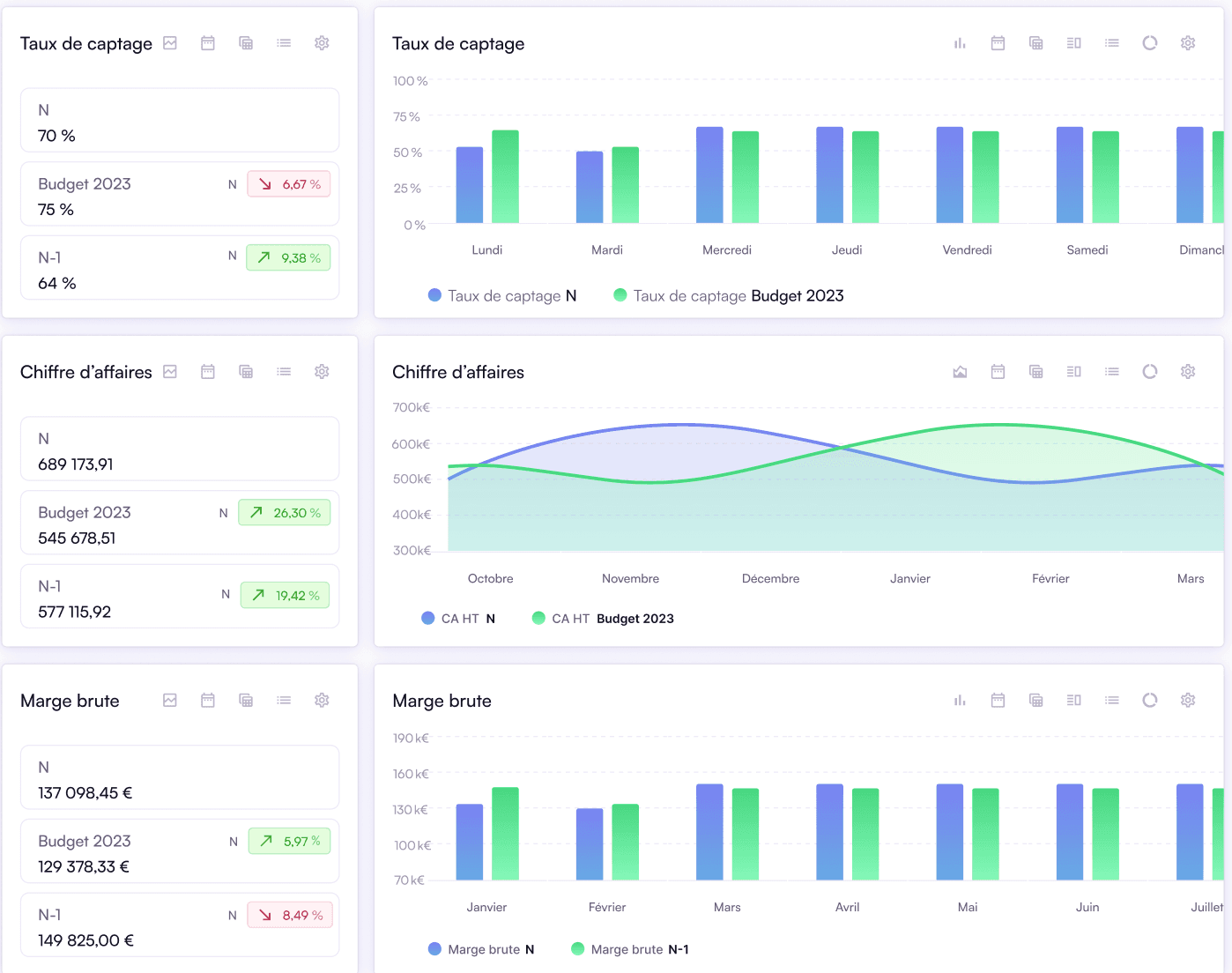
Qotid is the most complete and accessible finance BI solution on the market for multi-site groups.
Advantages:
Qotid is a French turnkey SaaS solution. Data is stored in the cloud and managed internally by teams, who also ensure maintenance of the connectors (integrated ETL).
Therefore, there are no hidden costs or management fees to expect from the client.
It is a complete and totally "no-code" solution that encompasses both data preparation and BI (DataViz and Data Analysis), consolidation of data (for multi-subsidiary/entity groups) as well as budget preparation.
Moreover, the integration costs are low or even non-existent because, as a software specialized for finance teams, Qotid benefits from a simplified onboarding system where the client can be autonomous in configuring the solution without any programming language knowledge.
Qotid emphasizes support and can rely on a high-performance customer service.
Pricing is based on the number of establishments for multi-site groups or based on the number of users for single sites and includes user support and maintenance of native connectors to the application.
Finally, Qotid offers a budget module for financial planning that adapts very well to multi-subsidiary companies and groups.
Disadvantages:
DataViz options are more limited than for other BI tools.
Qotid focuses solely on finance functions.
Target Audience:
Small/Midsize/Large companies
Multi-site groups
Pricing:
Starting at €60/month for 5 users (i.e., €12/month/user)
Power BI
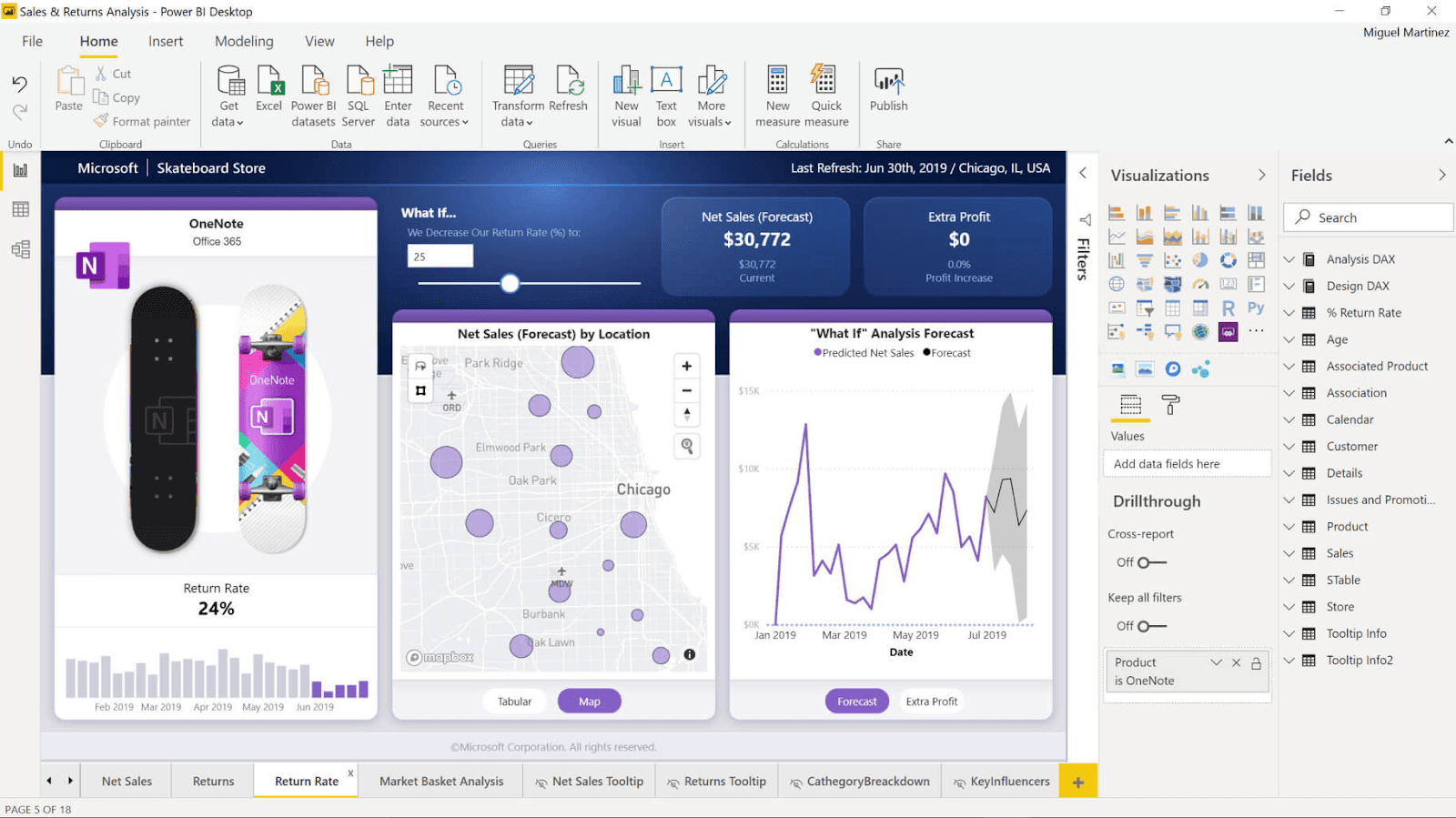
Power BI (Microsoft) is the global leader in Business Intelligence in 2022.
Advantages:
Power BI is a powerful, secure solution suitable for all types of organizations due to its accessible pricing.
Collaboration between users is facilitated and DataViz functionalities are advanced.
Power BI is quite user-friendly for basic and intermediate reports…
Disadvantages:
…But the solution becomes quite complex for more advanced analyses and reports. For finance teams, the tool may not be suitable for budgeting.
It is a generic BI tool without dedicated modules. If you do not have someone internally who can master an ETL, then a specialist will need to set up the network architecture for you, which may incur significant additional costs (integration and maintenance).
Power BI requires a certain level of Excel and programming language knowledge and/or calling on a specialist (which can also incur additional costs)
(Microsoft) Azure is the only deployment option.
Target Audience:
Small/Midsize/Large companies
Pricing:
Starting at €8.40 /user/month for Power Bi Pro + integration/maintenance/training fees
Zoho Analytics
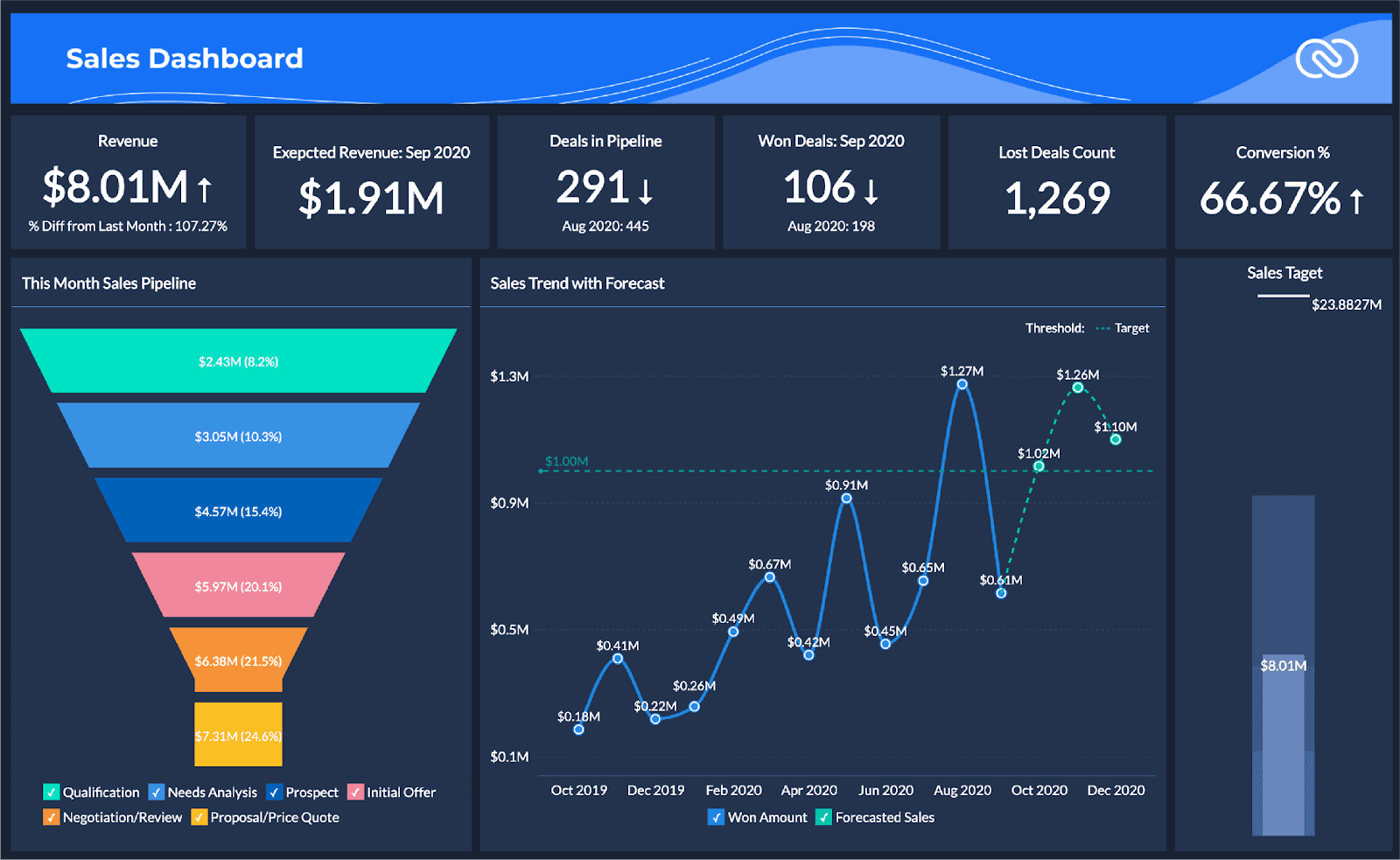
Zoho Analytics is ideal for data visualization and for a small number of users.
Advantages:
The interface easily generates reports with customized indicators, allowing for simple and clear data analysis.
An AI assistant aids collaboration among teams.
Disadvantages:
Prices become (very) high once you want to include more than 15 collaborators.
It is a generic BI tool. You will need to create your own internal connectors or delegate to an external consultant.
Costs related to integration and deployment can thus be very significant.
The solution occasionally requires knowledge of programming languages.
According to some users, Zoho Analytics can sometimes lack flexibility, particularly in terms of advanced data analyses.
Target Audience:
Small and medium enterprises
Pricing:
Starting at €24/month, billed annually for 2 users (i.e., €12/user/month) + integration/maintenance fees
Domo
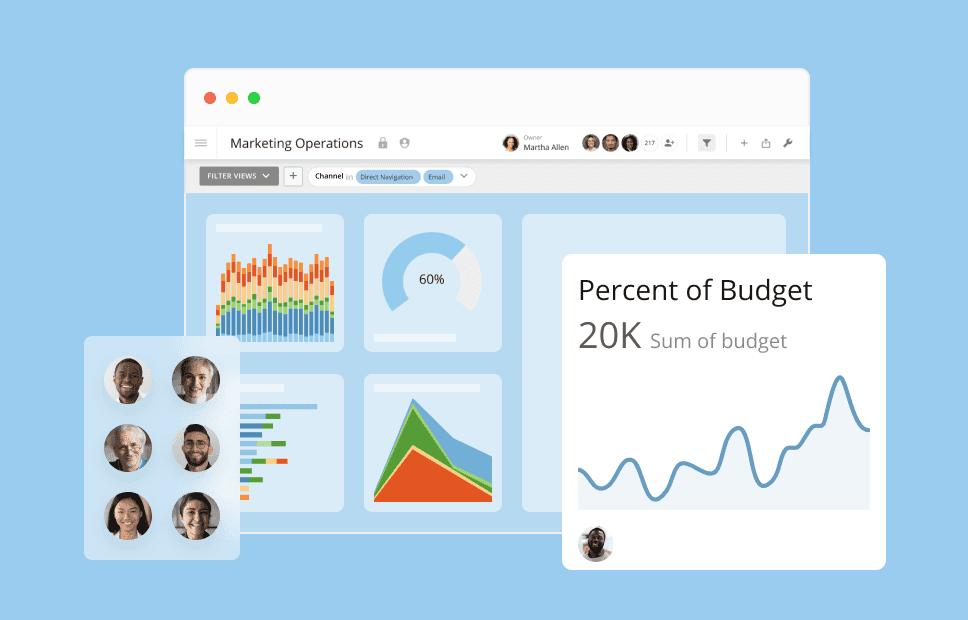
Domo allows reliable data analysis from a large number of connectors and graphics.
Advantages:
Domo can connect to (very) many data sources.
In terms of Dataviz, the tool offers more than 300 integrated graphics that also adapt very well to mobile versions.
The tool facilitates both internal collaboration (instant messaging) and external collaboration (Domo everywhere).
Disadvantages:
Pricing is custom but is considered one of the highest, if not the highest on the market.
Besides the license cost, fees related to deployment and maintenance of connectors are to be expected.
Some users report occasional bugs.
Target Audience:
Small/Midsize/Large companies
Pricing:
On request + integration/maintenance fees
Tableau
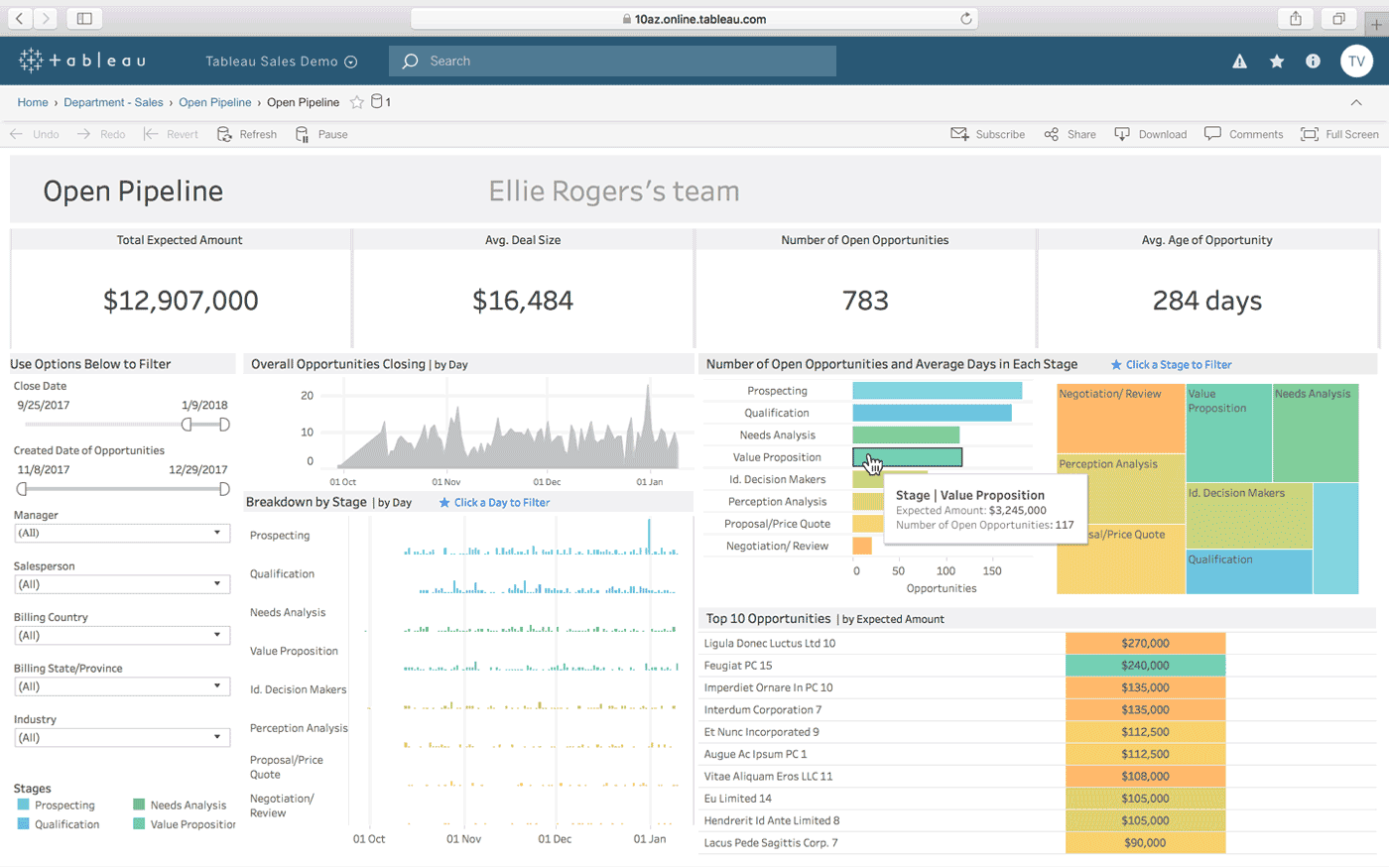
Tableau (Salesforce) is one of the global leaders in Business Intelligence in 2022.
Advantages:
Tableau is a powerful and fast solution, featuring a large number of connectors and is more dedicated to data analysts and large groups.
Tableau is a reference tool (along with Power BI) in data visualization. It also allows complex data analyses (analytics), making its platform more time-consuming to master than most other solutions on the market but still accessible (thanks, among other things, to a "drag and drop" system).
Disadvantages:
Support and customer service are considered by some users as one of the least effective on the market.
Data preparation could be improved.
High costs for small businesses. It is one of the most expensive solutions on the market (along with Domo).
It is a generic BI tool without dedicated modules. Additional costs associated with deployment, maintenance of connectors, or even team training are to be expected in most cases.
Tableau is less suited for beginners in Business Intelligence and some features require knowledge of programming languages (SQL, Python).
Target Audience:
Large companies
Pricing:
Starting at €42/user/month + integration/maintenance fees
IBM Cognos Analytics
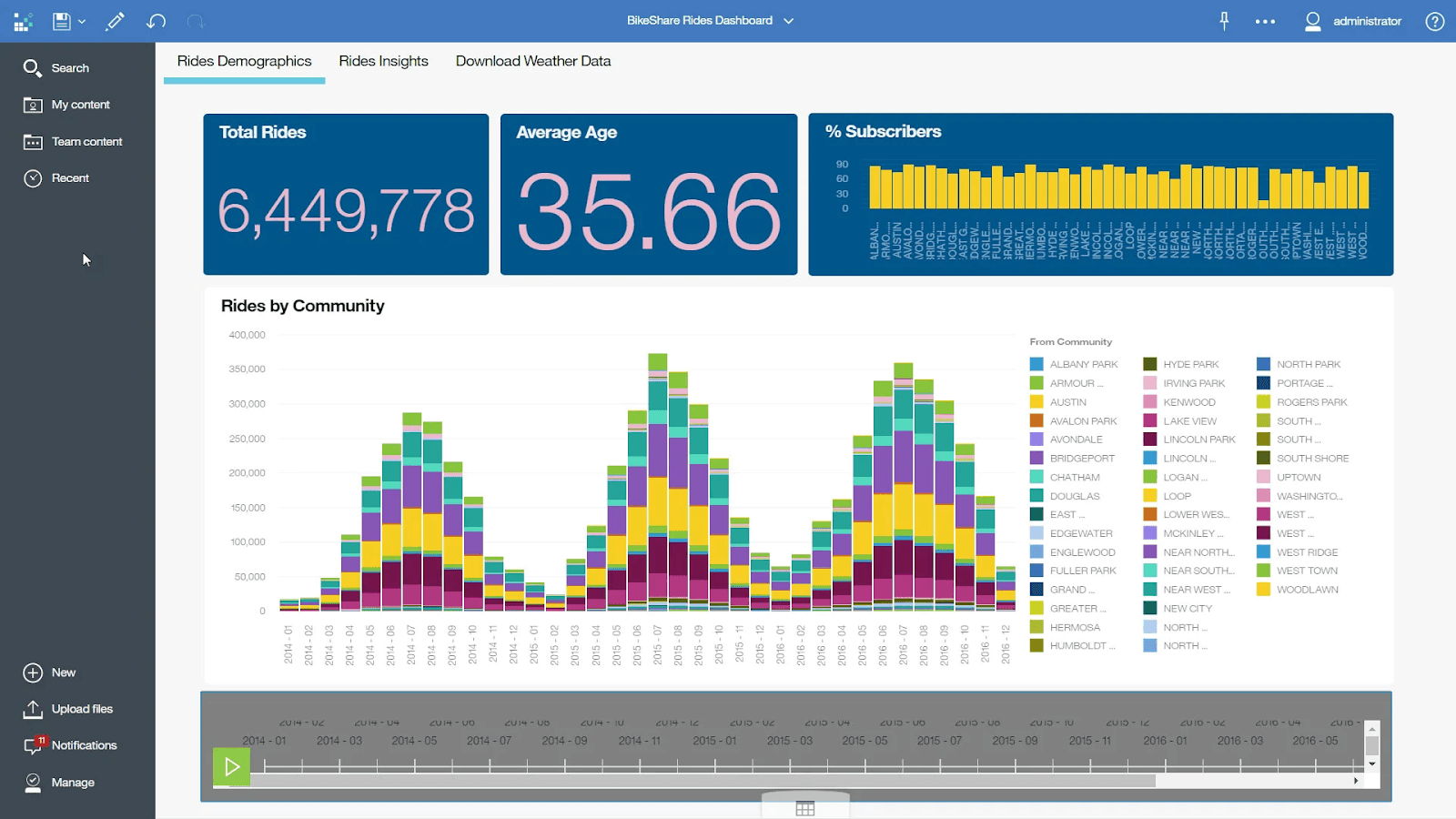
IBM is a robust, user-friendly SaaS BI tool with affordable pricing.
Advantages:
IBM focuses on ease of use and has an AI assistant to guide you in creating and visualizing reports and predicting future behavior.
An effective mobile application has also been developed.
Disadvantages:
The AI assistant is only accessible with the Premium version (€40/user/month).
The number of resources (support) is limited.
The price can quickly become high depending on the plan chosen.
It is also a generic BI tool. Costs related to the implementation and maintenance of connectors (or even training) should be taken into account in most cases.
According to some users, the UX/UI of the interface needs modernization.
Target Audience:
IBM may suit small and medium enterprises but primarily targets large groups.
Pricing:
Starting at €10/user/month for the standard solution (pricing varies based on the type of hosting chosen). + integration/maintenance fees
Qlik Sense
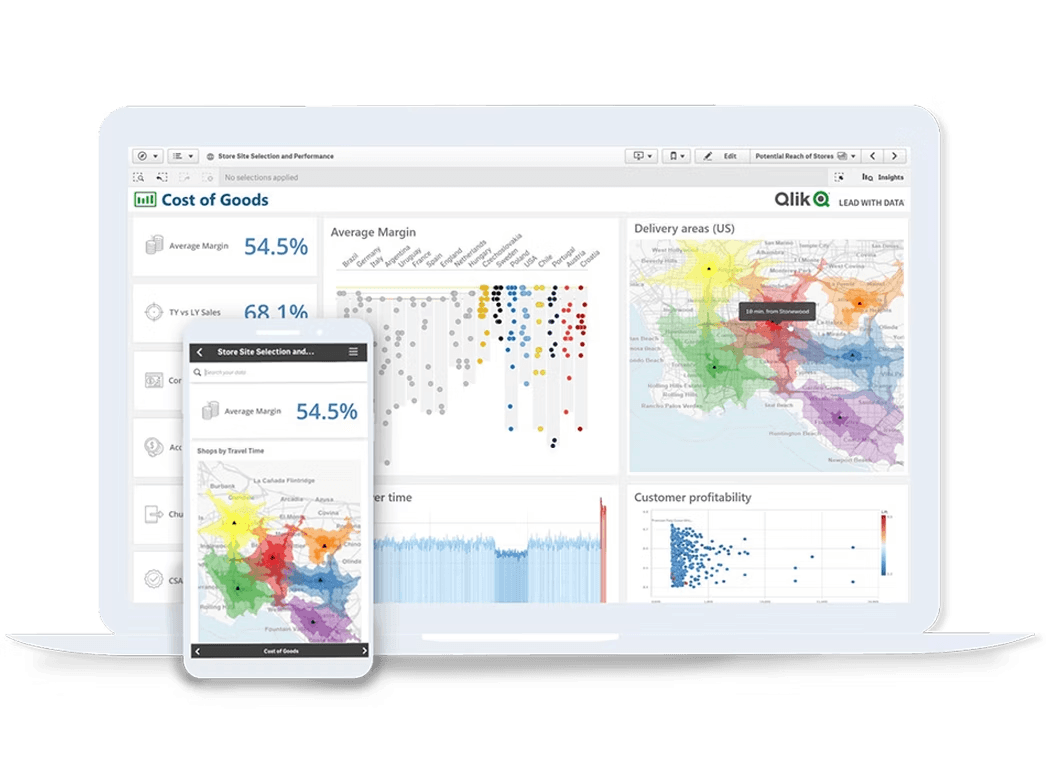
Qlik Sense is one of the most accessible BI software.
Advantages:
Qlik Sense relies on its own technology and AI to enable simple and effective data visualization.
The tool emphasizes user autonomy when creating reports and boasts very fast data loading (no data warehouses).
Disadvantages:
Pricing remains high compared to other market players.
The solution is not as advanced in terms of functionalities as for most other BI tools (Qlik has actually made numerous product acquisitions to try to address this lack).
According to some users, the platform can take time to update when working with large volumes of data.
It is a generic BI tool on demand. Significant expenses are to be expected to set up your network architecture and create connectors.
Target Audience:
Small/Midsize/Large companies
Pricing:
Starting at €30/user/month + integration/maintenance fees
Sisense
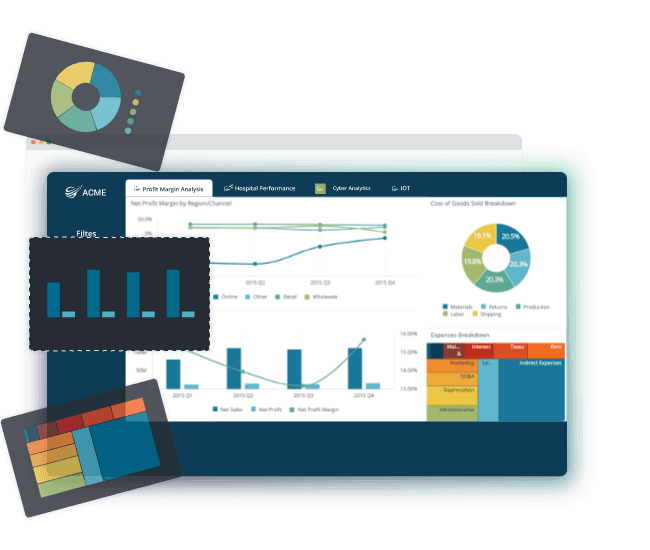
Sisense is a simple yet powerful BI tool aimed at medium and large businesses.
Advantages:
Sisense adapts well to both beginner profiles and seasoned analysts who want to work with more complex data.
It is an intuitive BI software with a high degree of customization (dashboards).
Sisense is an open platform with numerous connectors, APIs, and several deployment options.
Moreover, this SaaS software can manage a large volume of data.
Disadvantages:
Some basic features are missing or would deserve improvement, according to some users.
Additionally, support (available resources) and customer service are below average (according to user testimonials), but Sisense plans to invest to address these issues.
Pricing is provided on request (but is considered to fall within the higher range).
Expenses related to integration and maintenance of connectors are to be expected.
Target Audience:
Medium and large companies
Pricing:
On request + integration/maintenance fees
MyReport
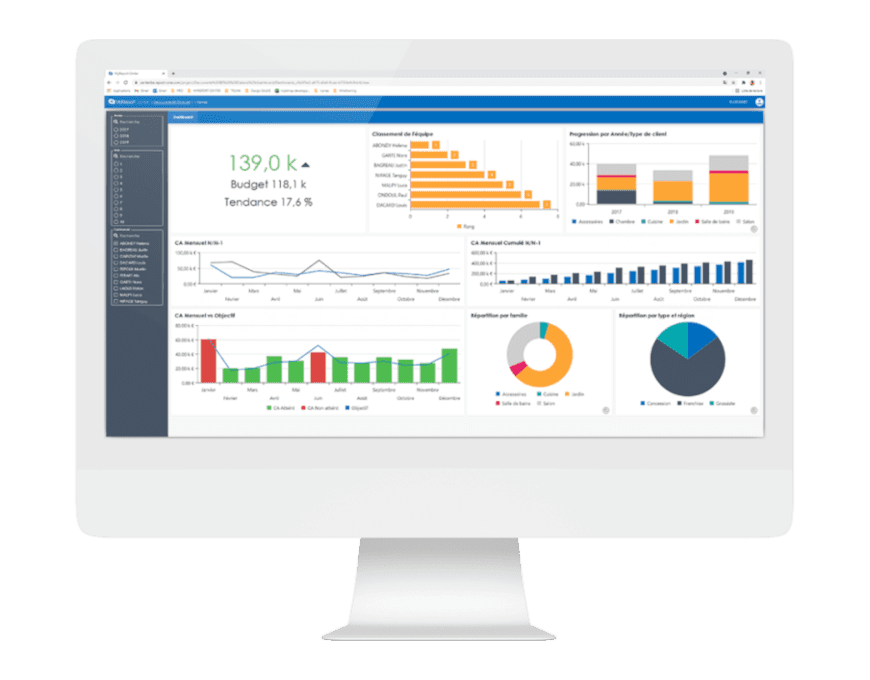
MyReport (Report One) is a BI tool dedicated to SMEs & ETIs adapted to all types of professions.
Advantages:
My Report offers a SaaS solution that encompasses Data Management (data centralization), Data Analysis, and Data Visualization.
This BI tool can be used by both CEOs and business management (HR, sales, finance).
My Report is a rather complete BI solution that focuses on ease of use and personalized support (dedicated project manager).
Some advanced DataViz features are available, such as mapping for example.
Disadvantages:
Apart from the license cost, expenses related to deployment and training are to be expected.
Without in-house skills to create your data architecture, you will need to hire a specialist to perform this task.
Target Audience:
SMEs and ETIs
Pricing:
On request + integration/maintenance/training fees
Summary of the best BI tools
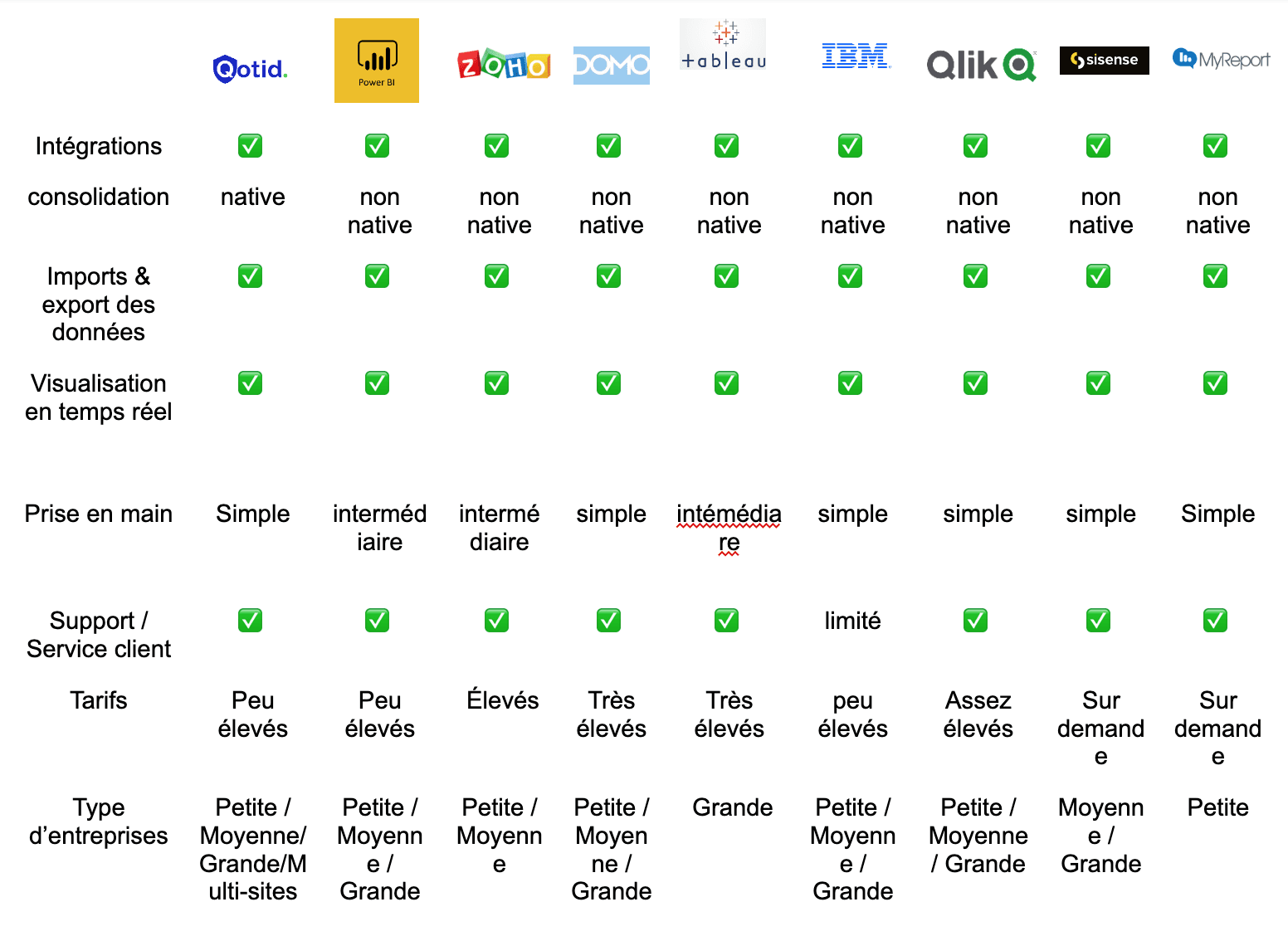
Business intelligence software: What to remember before choosing
Today, there is a range of effective business intelligence tools, and it is not easy to choose which one best suits your company.
What is essential to do before anything else is to clearly determine what the needs and objectives of your teams are:
Does my company need to perform rather basic or complex data analyses?
Do my teams have programming language skills, or are they made up of profiles uninitiated in Business Intelligence?
Do I need to communicate and work with several collaborators? If so, how many?
Then, and only once you have clarified all these points, can you consider choosing a BI software based on your budget and the size of your company.
It is very important to thoroughly analyze your current and future needs before selecting a BI tool and not to make a choice solely based on reputation or the price of the license, for example.
Many companies invest in BI software without anticipating the learning time or the costs of deployment and maintenance associated with them, and subsequently find themselves blocked when transitioning to a SaaS solution more in line with their needs due to lack of budget.
Regarding specific business teams, particularly finance departments, other questions arise in addition to those we have just mentioned.
It is indeed important to determine whether you are looking to cover other needs besides BI or not. For example, if you want to manage your budgets, accounting, or cash flow, then you will need a specialized and more complete SaaS solution in terms of features.
The mission and advantages of Qotid
Qotid's mission is to become the most comprehensive all-in-one and no-code solution for finance departments in France and Europe.
Qotid's ambition is to enable business teams in any company to manage all their financial data, accounting, and cash flow through a centralized platform that requires no programming skills.
The solution has been designed to find the perfect balance between accessibility and comprehensiveness.
Qotid thus allows companies, particularly multi-site groups, to manage all their finance and accounting while being 100% autonomous in creating and customizing reports (BI).
To learn more about BI tools, talk to an expert
We come to the end of this article and sincerely hope that the reading has been beneficial and that this comparison has helped you gain clarity on the business intelligence market in 2024.
If you wish to discuss your BI or financial management needs in general, we would be happy to chat with you!
In summary:
Business intelligence (BI) has become essential for companies of all sizes to make informed strategic decisions. BI software allows you to gather and analyze data from various sources to provide actionable insights in the form of dashboards, reports, and graphics.
Hundreds of BI tools exist on the market, ranging from generic solutions to tools specialized for specific business teams.
The advantages of a BI software include:
- time savings,
- improved decision-making,
- increased responsiveness,
- enhanced customer satisfaction,
- a competitive advantage.
The selection criteria for a BI tool include available connectors, user interface usability, price, integration and maintenance costs, dashboard customization and automation, access and role management, support, resources, and data security.
SaaS solutions (software as a service) offer additional advantages, such as cost savings, reduced maintenance, and automatic updates.
F.A.Q :
1. What is a BI tool and what is its purpose?
A BI (Business Intelligence) tool is software that allows companies to consolidate data scattered across different sources (internal or external) and transform it into relevant information all in one place.
BI tools thus enable decision-makers to visualize and analyze in real-time key indicators for their business and to share these with their collaborators in the form of dashboards, reports, and other graphics. BI tools therefore greatly assist companies in their tactical and strategic decision-making through reliable and representative data analyses of their current health.
2. What are the most important criteria to consider when choosing a BI Tool?
The most important criteria to consider when choosing a BI Tool are: available connectors for connecting to data sources, user interface usability and user experience (UI/UX), price (license cost), costs related to integration, training of teams, or maintenance, dashboard customization and automation, management of access and roles of collaborators, support and resources provided to effectively use the software, and data security.
3. What are the advantages of a SaaS (BI) solution?
A SaaS (BI) solution allows companies to save money by limiting IT hardware investments, as they no longer need to host their applications and store their data internally.
Moreover, the SaaS subscription, being considered a service, constitutes an immediately deductible charge, unlike an investment that will be amortized over a much longer period. The provider also performs updates automatically, so there is no longer a need for a technical team to maintain the servers.